How it works
One consult, start to finish.
This is a single visit in VetGnosis, from opening the patient to booking the follow-up. The AI differential is one step in it, and you decide what it contributes.
-
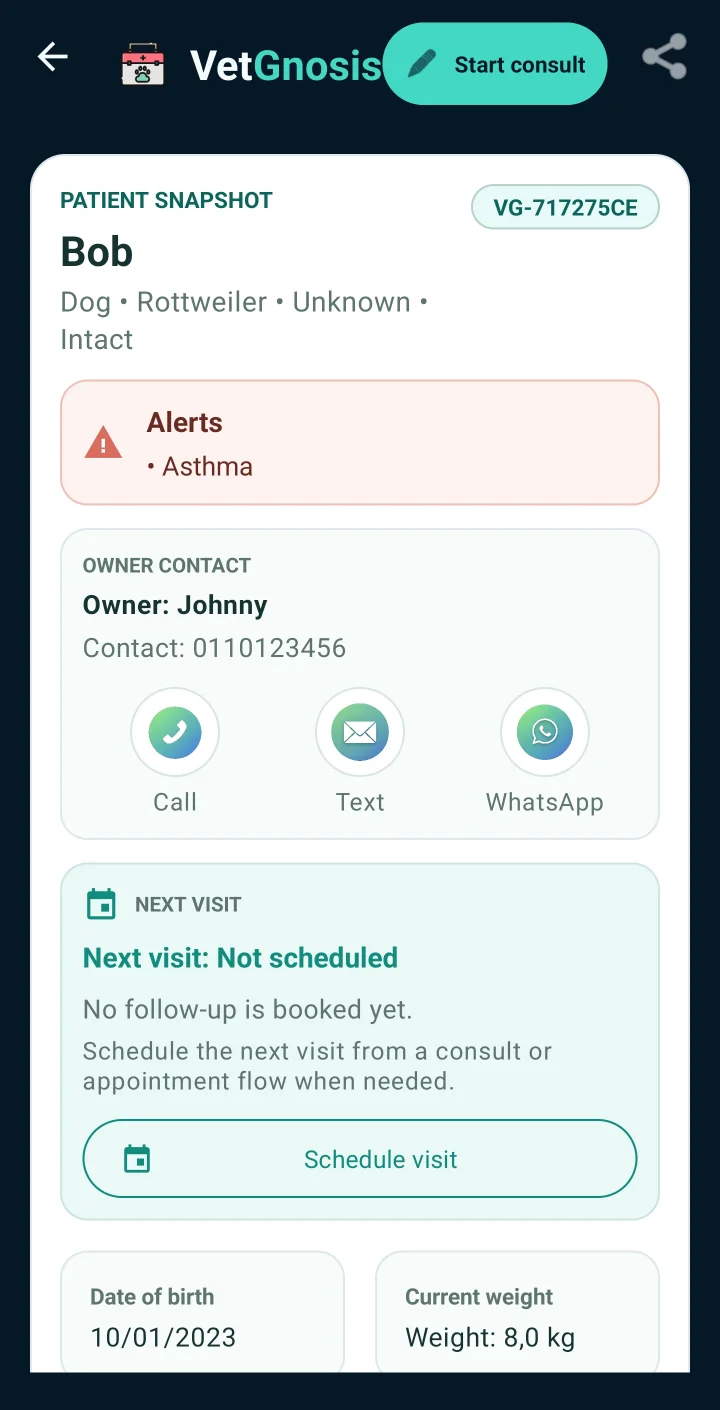
Open the patient
The snapshot shows alerts, owner contact and visit status before you start.
-
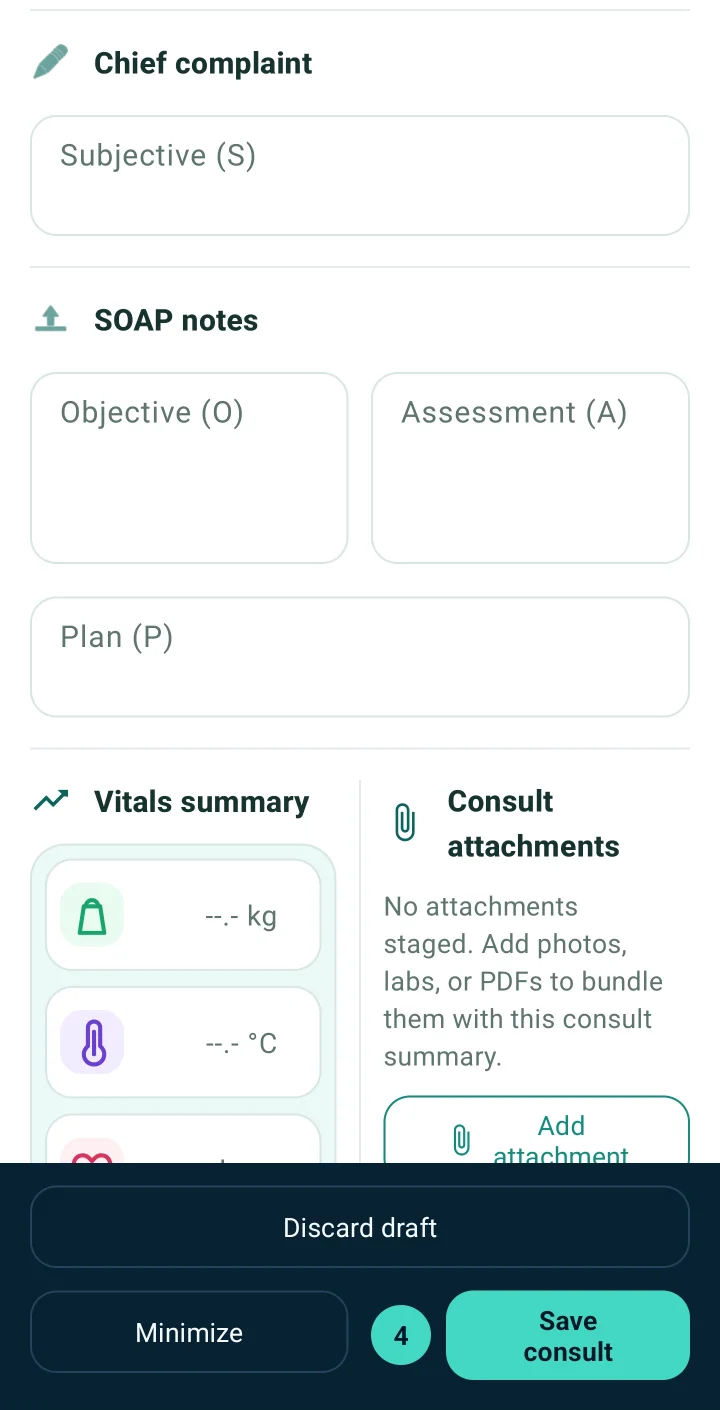
Write the consult
Record the complaint and history, then subjective, objective, assessment and plan fields.
-
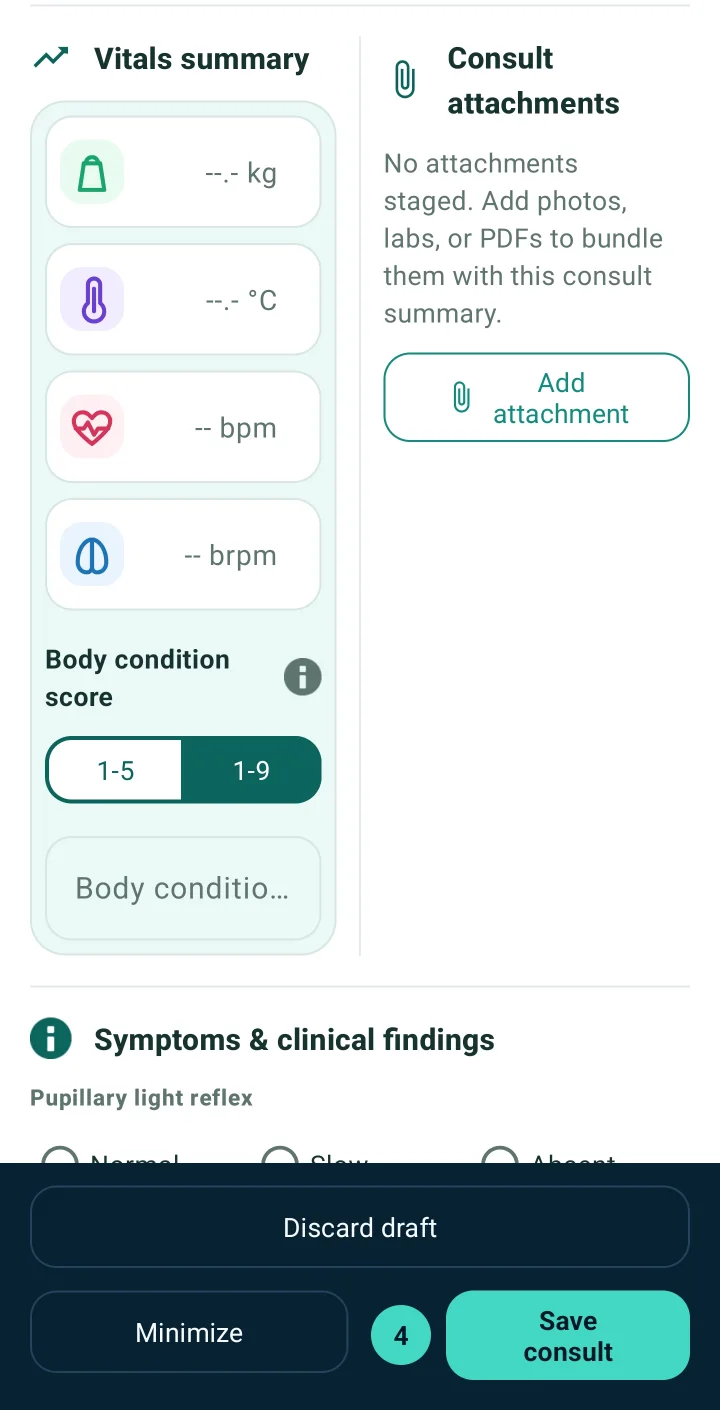
Add the findings
Vitals, body condition score, examination findings and attachments go into the same consult.
-
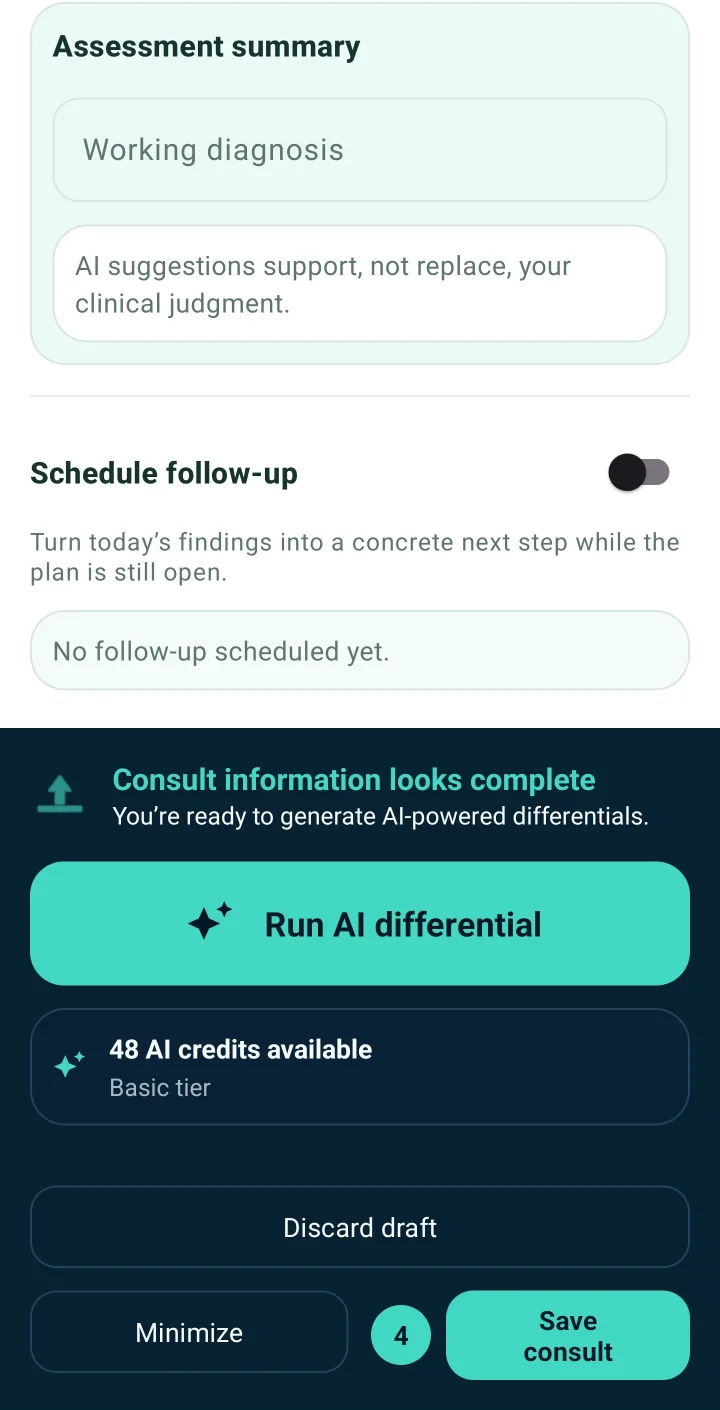
Request a differential
When the consult is complete, run the AI differential. It uses one credit and needs a connection; offline, the request waits in a queue.
-
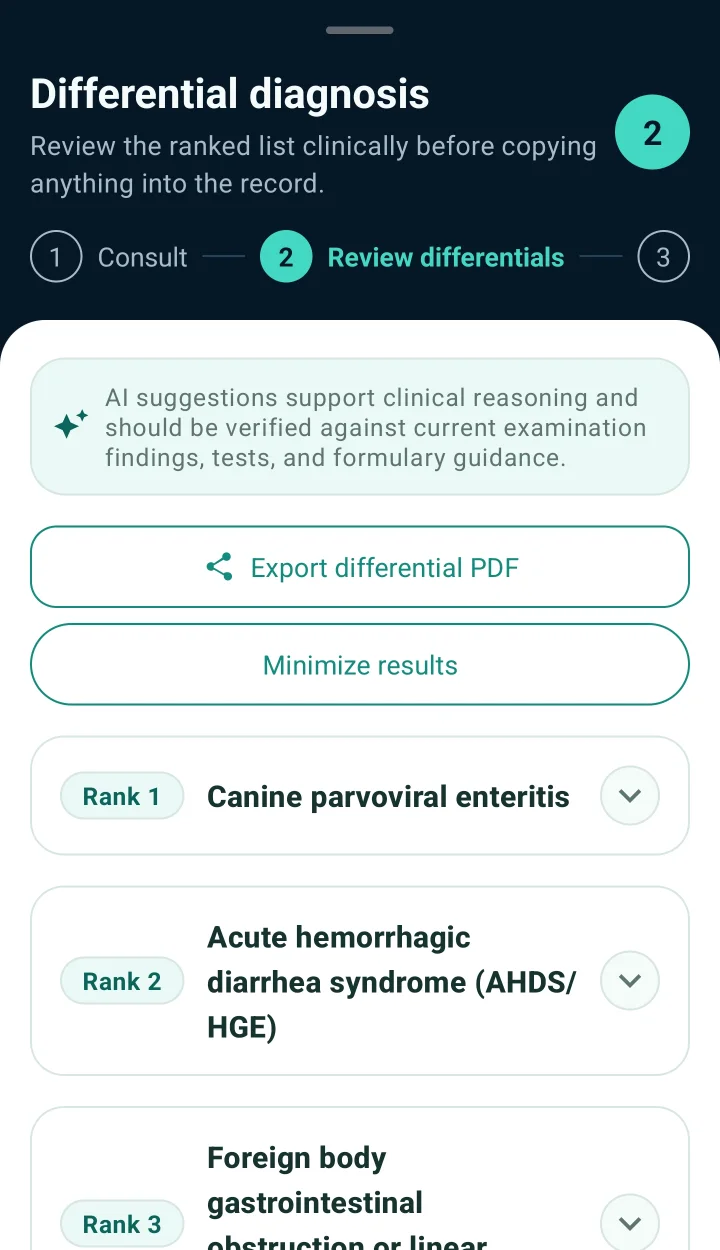
Review the ranking
Read up to five ranked differentials with rationale, suggested tests and a suggested plan. Question each one.
-
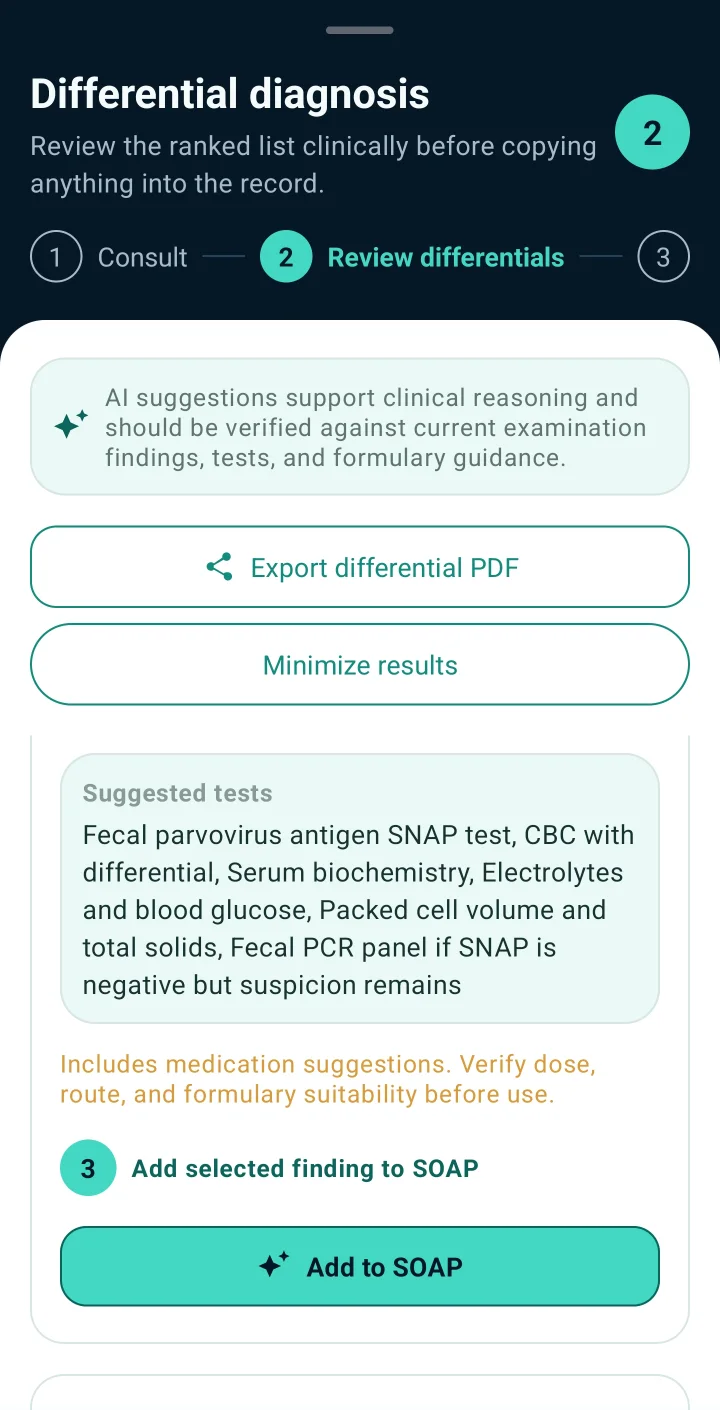
Keep what holds up
Add the findings and tests you agree with to the SOAP note, schedule the follow-up, and reassess when results arrive.
VetGnosis provides AI-assisted differential support. Final diagnosis, treatment and case decisions remain the responsibility of the licensed veterinarian.
When the signal drops
Keep writing. Records, consults, vitals and attachments save on the phone and sync when you reconnect. Generating a differential needs a connection. You can queue a request offline and it runs when the phone reconnects.
When you are ready to pay
Choose a plan in your account and pay with PayPal, or request a clinic invoice. Access and credits are activated manually within 24 hours after payment verification. Payment does not instantly activate access or credits. Website payments do not renew automatically.
Plans and pricesStart with one consult.
Create your account, request the app, and write up a case the way you normally would.