For veterinarians in clinic and field practice

From history to differential, without leaving the consult.

Patient records and SOAP consults on your Android phone, with ranked AI differentials built from the notes you have already written.

Free to use with no time limit. Coming soon to Google Play, and available now by request.

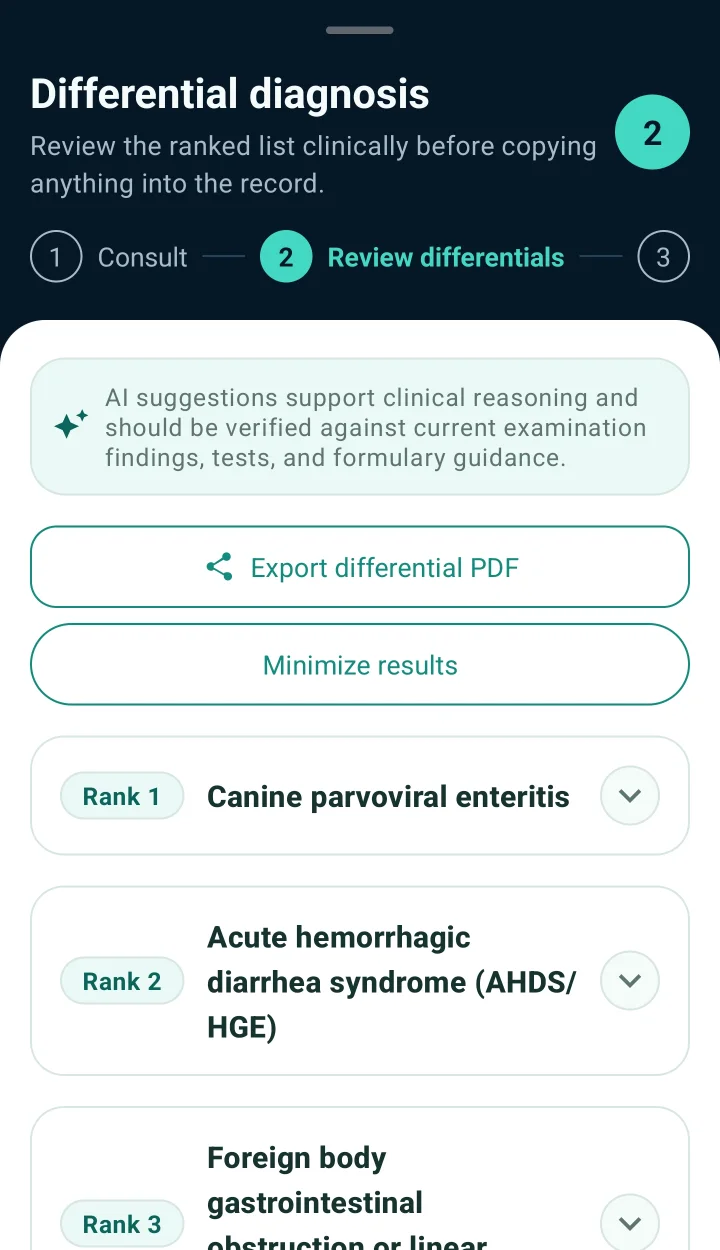
VetGnosis differential review listing ranked differentials for an example dog: canine parvoviral enteritis, acute haemorrhagic diarrhoea syndrome, and foreign body obstruction.

Real app screen with an example patient: ranked differentials built from the consult.

Built the way you already write a case.

VetGnosis follows the structure of the consult. AI enters at the assessment, after you have recorded the evidence, never in place of it.

Subjective

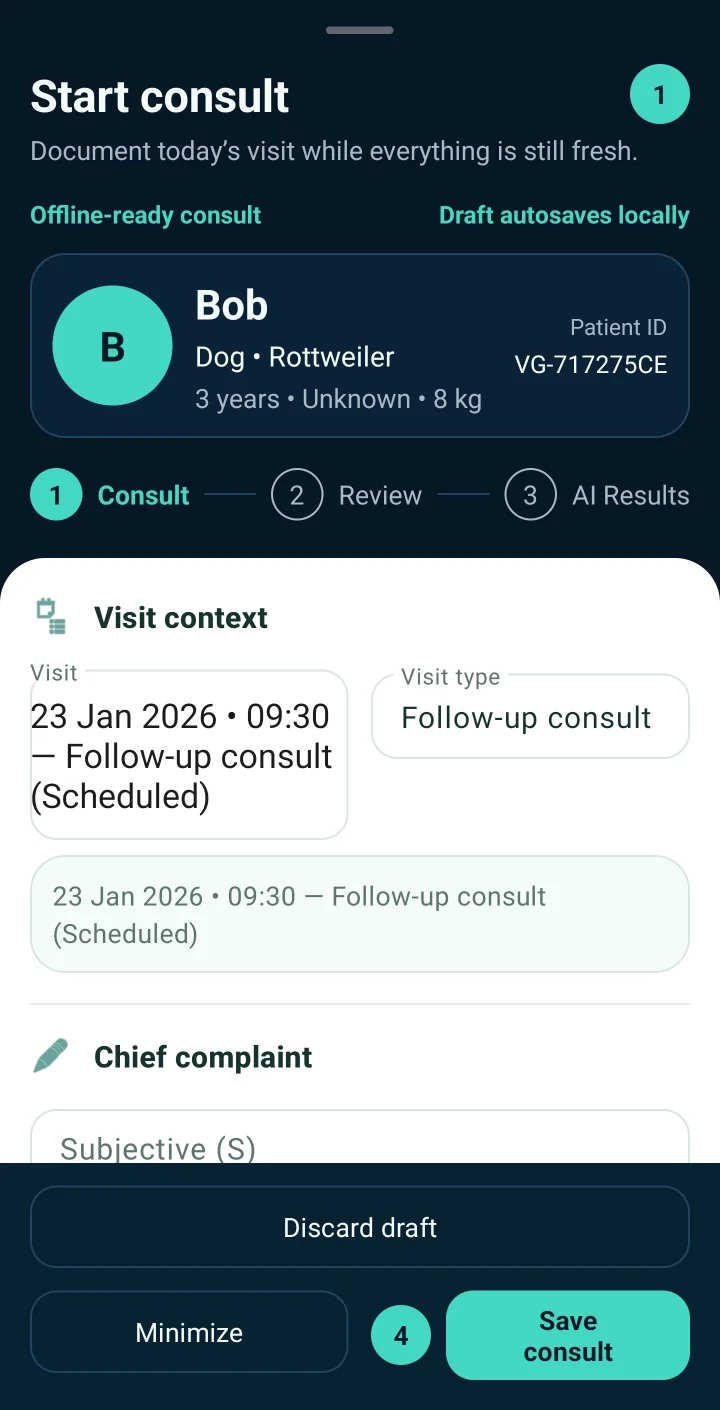
Start from the patient, not a blank page.

Open the consult from the patient record. Signalment, alerts, owner contact and earlier visits are already there. Record the presenting complaint and history while the owner is still talking.

  • Patient snapshot with alerts
  • Chief complaint and history
  • Drafts save on the phone as you type
VetGnosis Start consult screen with the patient Bob, visit context and chief complaint fields.
Starting a consult for an example patient.

Objective

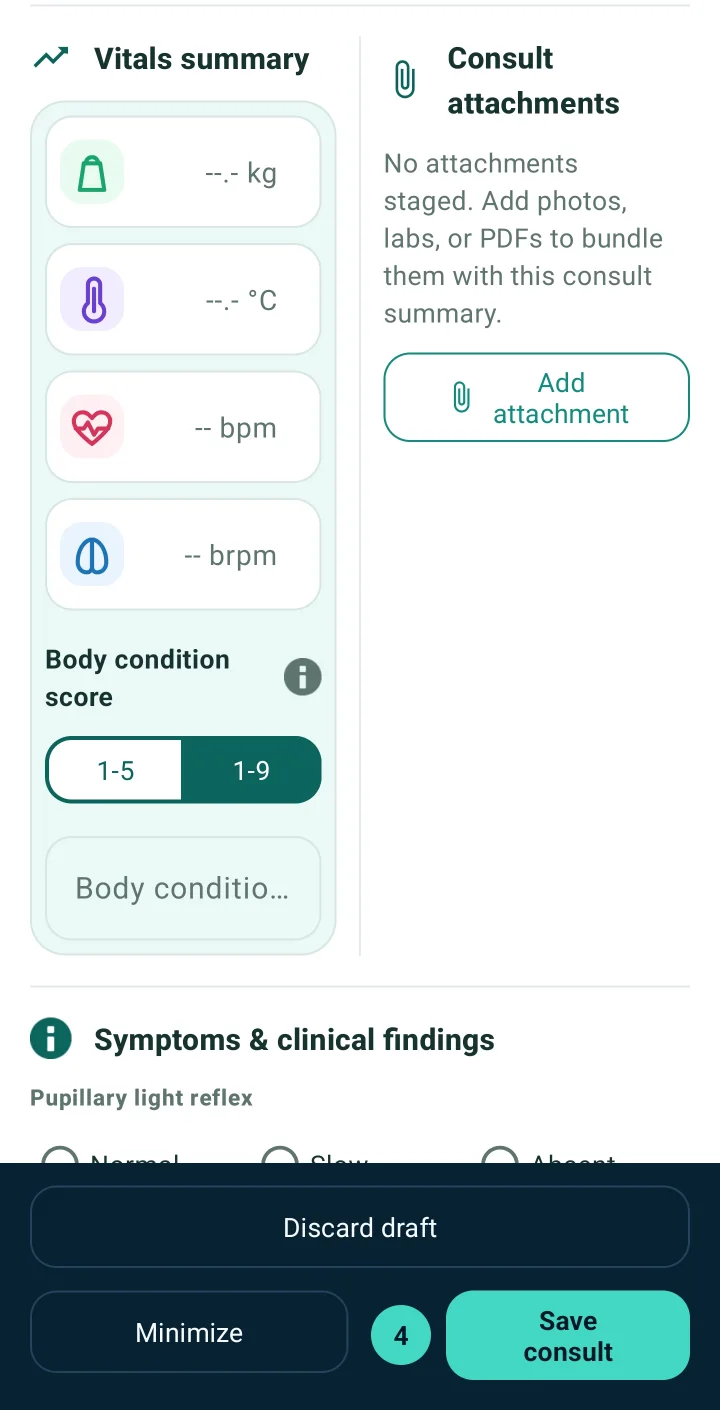
Put the findings where the reasoning can use them.

Capture temperature, heart and respiratory rate, weight and body condition score. Note examination findings and attach radiographs, lab PDFs or photos to the same consult.

  • Vitals with trend history
  • Structured clinical findings
  • Attachments filed with the visit
VetGnosis consult step for vitals summary, body condition score, consult attachments and clinical findings.
Vitals, findings and attachments in the consult.

Assessment

Ask for a differential once the evidence is down.

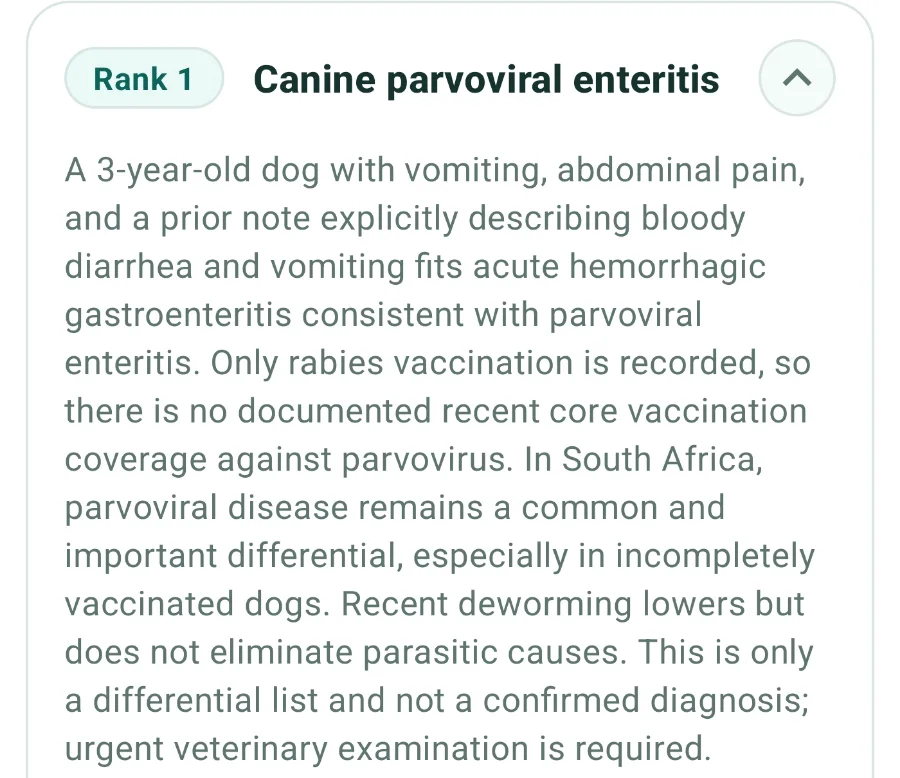
VetGnosis builds up to five ranked differentials from this consult and the patient's history, with the rationale for each, suggested tests and a suggested plan. It takes your region's disease context into account. You weigh every line of it.

  • Ranked differentials with rationale
  • Suggested tests and plan
  • Exportable differential report

Needs a connection. Each AI differential request uses one credit, including a reassessment after new findings.

Enlarged from the VetGnosis app: the written rationale for canine parvoviral enteritis, citing the vomiting and bloody diarrhoea, missing core vaccination and regional prevalence.
Enlarged from the app: the rationale for the first-ranked differential in an example case.

Plan

Keep what holds up. Leave the rest.

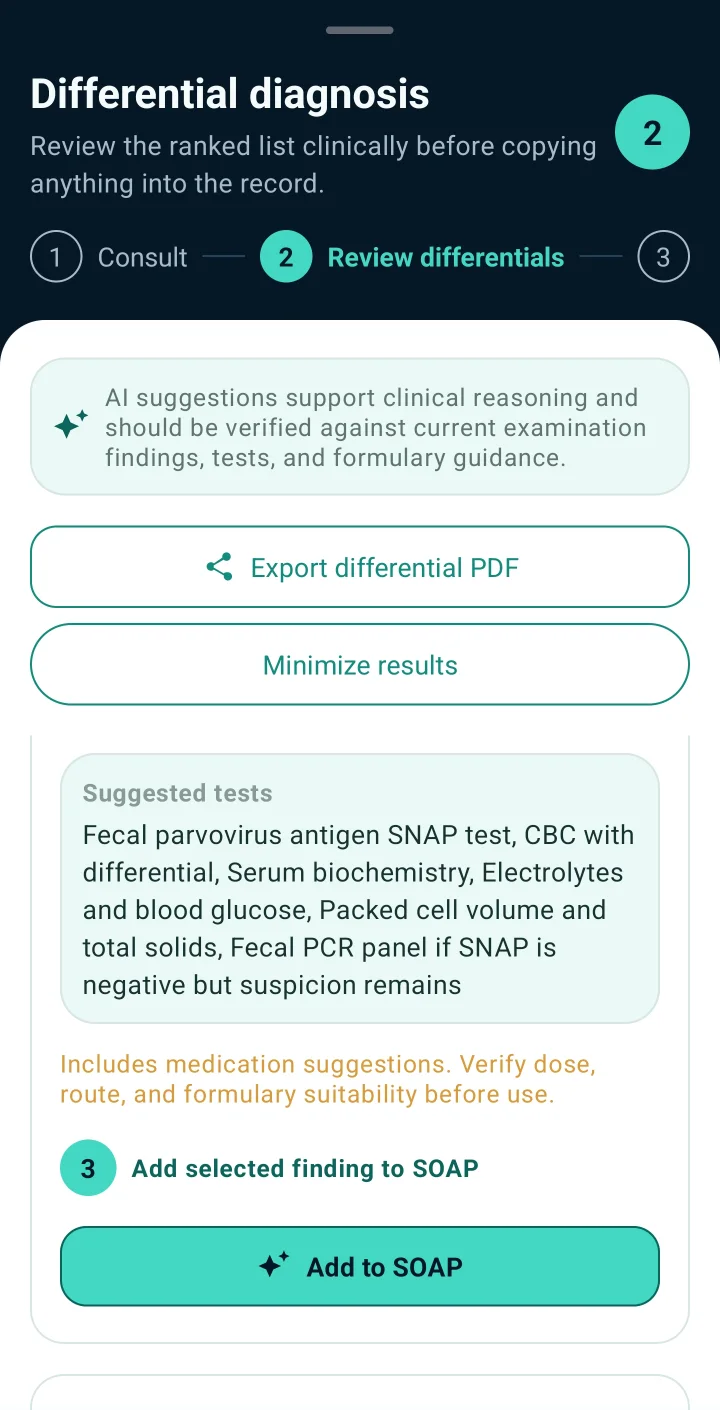
Select the findings and tests worth keeping and add them to your SOAP note. Book the follow-up before you leave. When results come back, add them and ask again.

  • Add selected items to SOAP
  • Schedule the next visit
  • Reassess with new results
VetGnosis differential review with suggested tests selected and an Add to SOAP button.
Choosing suggested tests to add to the note.

VetGnosis provides AI-assisted differential support. Final diagnosis, treatment and case decisions remain the responsibility of the licensed veterinarian.

How the AI differential works

The signal drops. The record doesn't.

Farm roads, stables, rural clinics. VetGnosis stores your work on the phone first and syncs when it can, so a dead zone never costs you the case notes.

Works offline

  • Patient records and history
  • Consults, SOAP notes and drafts
  • Vitals, attachments and appointments
  • Billing documents you have created

Needs a connection

  • Generating AI differentials. Queue the request offline; it runs when you reconnect.
  • Syncing your records and account

One patient. One record. Everything attached.

Consults, vitals, attachments and follow-ups stay with the patient, so the next visit starts with the whole history in front of you.

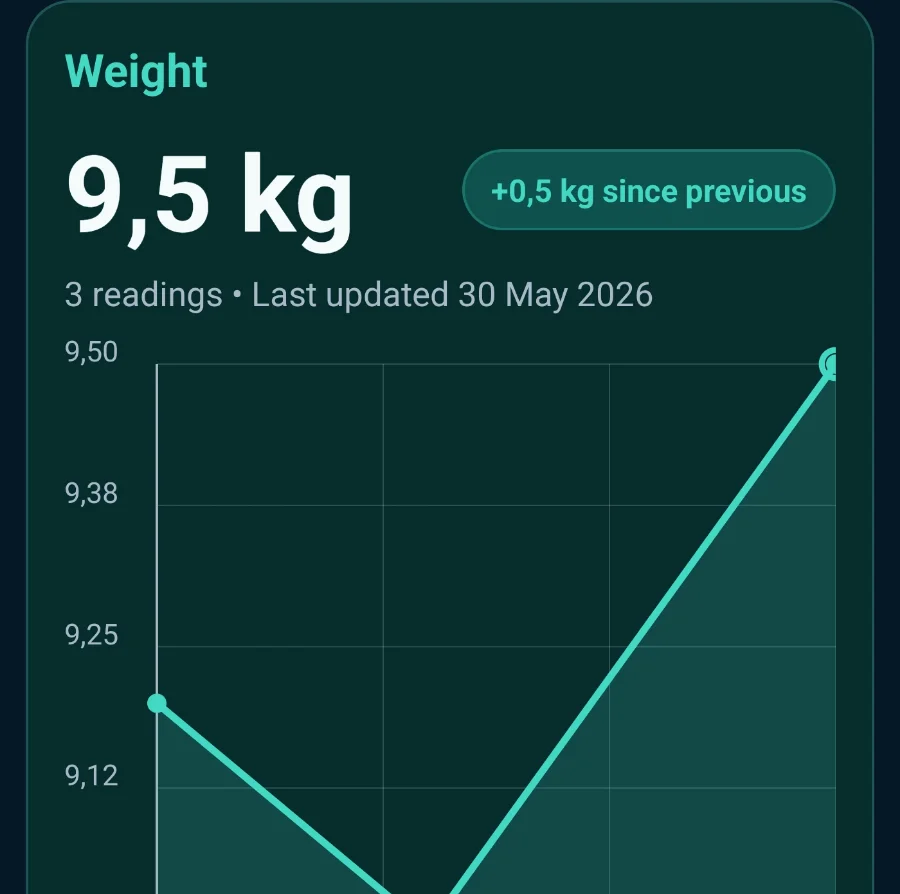
Enlarged from the VetGnosis app: weight trend card showing 9.5 kg, up 0.5 kg since the previous reading, across three readings.

Vitals over time

Weight, temperature, heart and respiratory rate across 30 days, 90 days or a year, so changes between visits are easy to see.

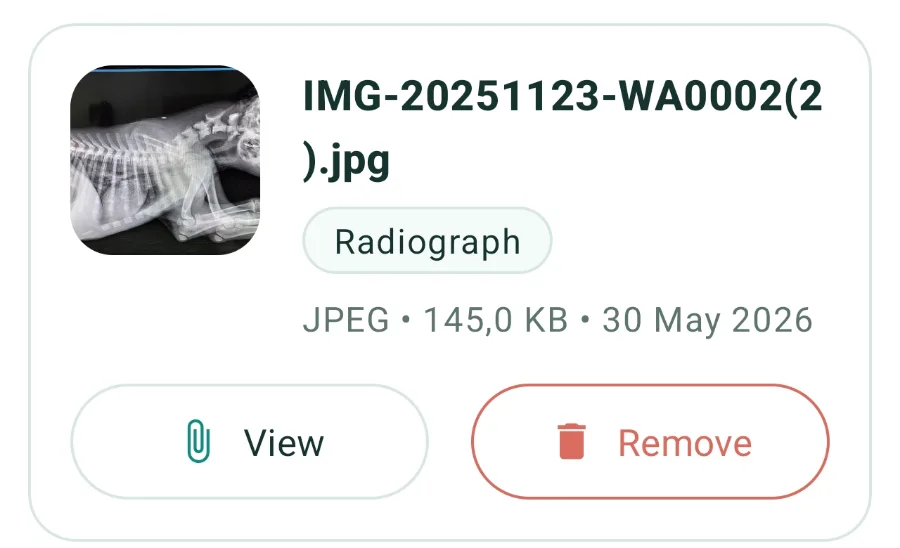
Enlarged from the VetGnosis app: a radiograph image attached to the patient with view and remove actions.

Attachments in context

Radiographs, lab results and documents filed with the patient and the visit.

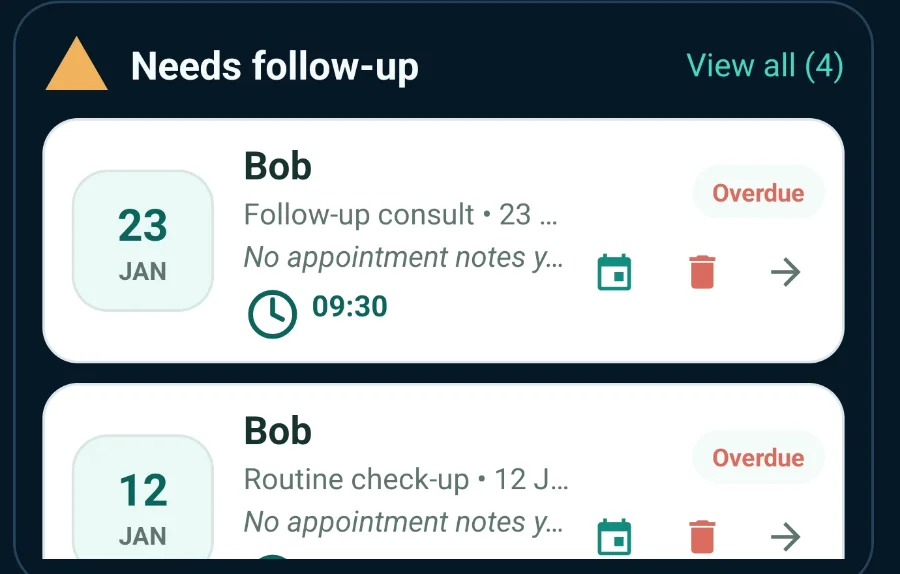
Enlarged from the VetGnosis app: the needs follow-up list with two overdue visits for Bob.

Follow-ups that surface

Overdue and upcoming visits in one list, each linked back to its patient.

Also in the record: patient search and filters, a Quick Rx dose helper, patient PDFs and consult summaries, and encrypted backup and restore. All features

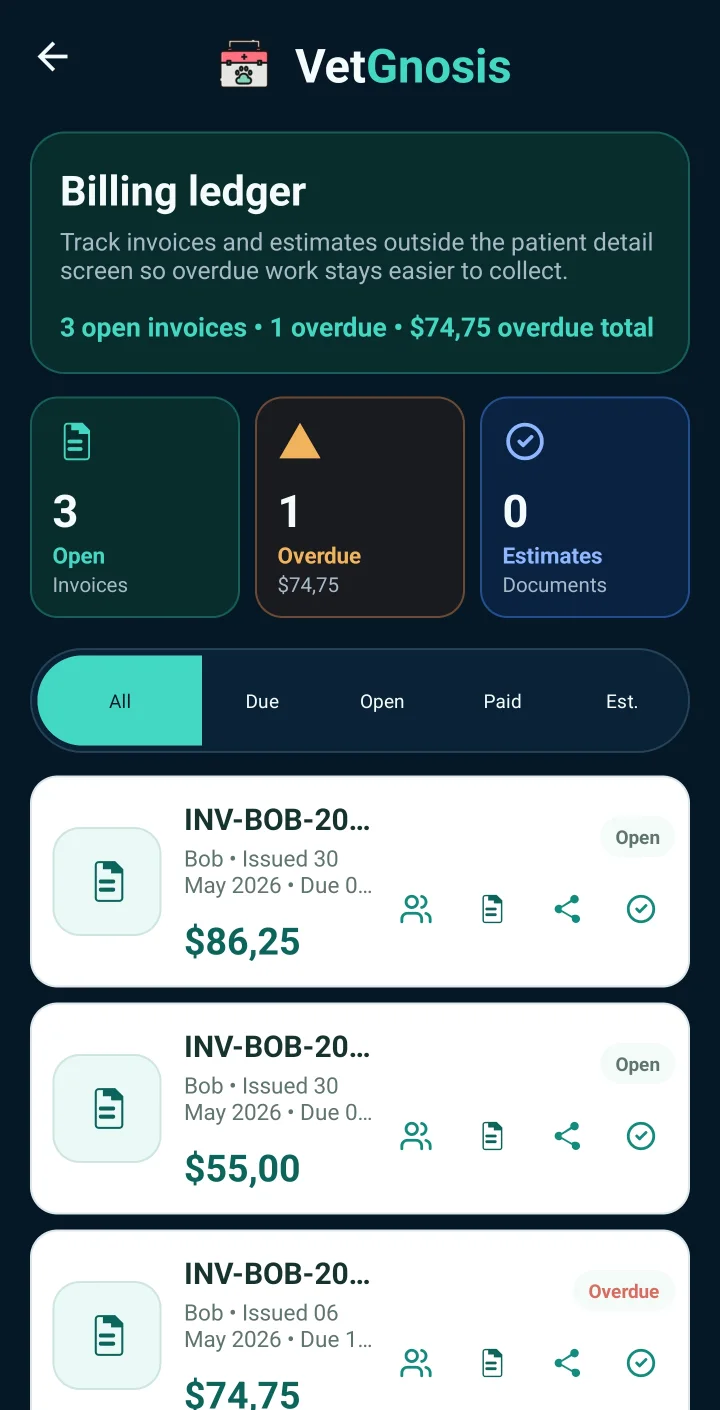
VetGnosis billing ledger listing invoices with open and overdue status and amounts.
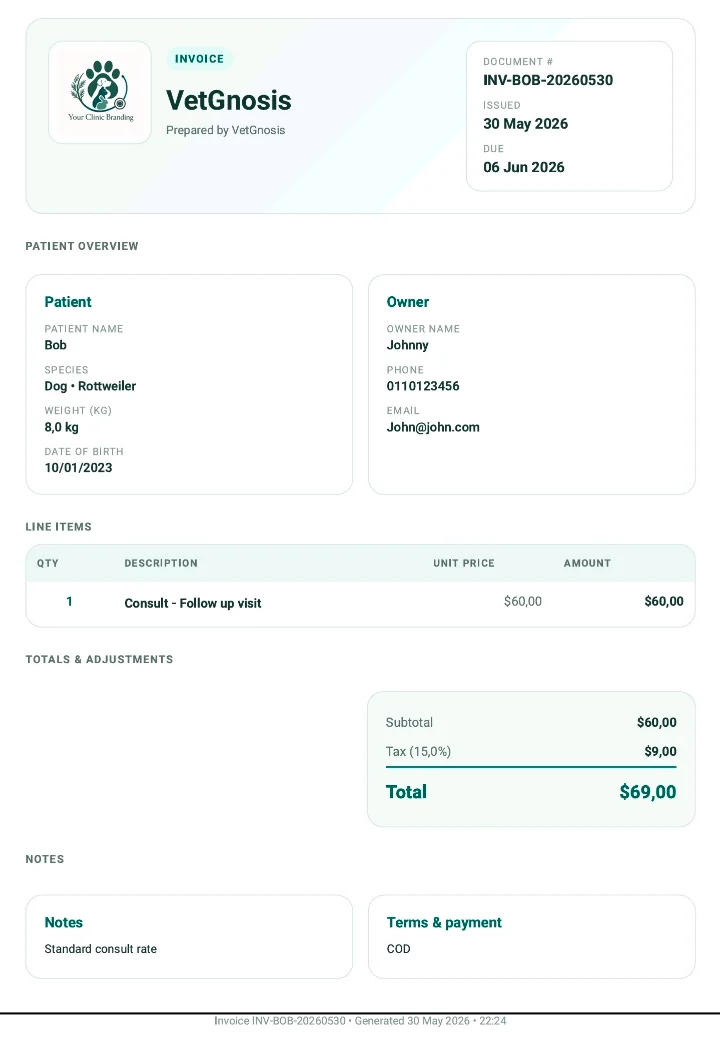
Example VetGnosis invoice with clinic branding, patient and owner details, line items and totals.

Basic and Pro

Invoice from the same record.

Create invoices and estimates from the patient, track what has been paid, and send documents with your clinic name, currency symbol and tax settings. Import your price list once from CSV or Excel and reuse it.

  • Invoices and estimates with line items and totals
  • Open, paid and overdue at a glance
  • Taxable and non-taxable charges

Billing documents you have already created stay viewable and shareable if paid access ends.

Free to keep. Paid when the AI earns its place.

Records and consults stay free. Pay for a monthly AI allowance and the business tools when they are worth it to you.

Free

A complete clinical workspace, with a first look at AI differentials.

$0 no time limit

5 one-time AI differential creditsUnlocked by phone verification in the app

  • Patient records, SOAP consults and vitals
  • Appointments, attachments and follow-ups
  • Works offline, with encrypted backup and restore
  • Clinical exports and patient summaries
Create a free account

Pro

The same features as Basic, with four times the AI allowance.

$59 per month

120 AI differentials a monthAdd credit packs if a month runs long

  • Everything in Basic
  • Four times the monthly AI allowance
  • Suited to heavier or more complex caseloads
Choose Pro

Credit packs

For Basic and Pro. Packs add AI credits without changing your plan.

Annual plans refill included credits every month; they do not add a year of credits upfront. Website payments go through PayPal and are activated manually within 24 hours after payment verification. Full pricing and payment details

Before you start

Clinical responsibility, connectivity, data, and what stays free.

All questions
Does VetGnosis diagnose cases automatically?

No. VetGnosis provides AI-assisted differential support inside a clinician-led workflow. Final diagnosis, treatment, prescribing, and case decisions remain the responsibility of the licensed veterinary professional.

What does offline-first mean in VetGnosis?

You can keep working with patient records, consult notes, vitals, appointments, attachments, and billing documents when connectivity is unreliable. Sync-dependent features update when the app reconnects, and AI requests can be queued for processing once the device is back online.

What data is used for AI differentials?

VetGnosis sends the relevant case packet for the request: signalment, vitals, history, clinical findings, selected region/country context, and any included diagnostic images. Avoid adding unnecessary owner personal information to AI prompts.

Can I use VetGnosis without paying?

Yes. The free plan stays useful for patient records, consult logging, vitals, appointments, attachments, clinical exports, offline use, and encrypted backup/restore. Basic and Pro add a monthly AI allowance and business tools: new invoices and estimates, payment tracking, clinic branding, and reusable price lists with CSV/XLSX import. Billing documents you have already created stay viewable and shareable if paid access ends.
Bring your next case.

  1. Create your account on this website. It takes a minute and needs no payment details.
  2. Get the Android app. It is coming soon to Google Play and available now by request: email support@vetgnosis.app and support sends you the file. Both options explained
  3. Sign in with the same email and verify your phone number in the app to unlock five AI credits.